Camon CX is HERE


Tecno has finally unveiled the much anticipated Camon Cx in additon with Camon Cx Plus.

Tecno Camonc9 vs Tecno Phantom6: Which Should You buy

tecno phantom 6 vs tecno camon c9 proTecno Camon C9 Official Retail Price is #49,9000

Tecno CamonC9 is one of Tecno most hyped products due to its amazing 13megapixels back and front camera but not long they came out with the Amazing Phantom6 which has a dual back camera with more RAM and ROM but lower battery life, so lets find out which is better.

Gadget
Tecno Camon C9
Tecno Phantom 6 Plus
Display Size:
5.5-inch
5.5-inch
Display Technology
IPS LCD
LTPS
Display Resolution:
1080 x 1920 Pixels
1080 x 1280  Pixels
Display Resolution Density:
401ppi
400 ppi
Display Protection:
None
Corning Gorilla Glass 3
Dimensions:
153 x 76.4 x 10.35
mm
151.5 x 75.5 x 6.15mm
CPU:
1.3 GHz Octa-core MediaTek MT6753
2.0 GHz Deca-core MediaTek MT6753
RAM:
2 GB
3 GB
Operating System:
Android 6.0 (Marshmallow) 
Internal Memory:
16 GB
32 GB
Card Slot:
Yes, up to 128 GB
Yes, up to 128 GB
Rear Camera:
13 MP
13MP AF + 5MP SONY IMX 258 Dual Back Camera with LED
Front-Facing Camera:
13 MP
8 MP
Battery Capacity:
Li-ion 3000mAh
Li-Ion 4050 mAh
Extras:
Dual SIM, 4G, Iris Recognition,HiOS v1.0
Dual-SIM, 4G, Fingerprint Scanner, VR Ready
Price:
N55,000
N108,000

Top 10 Tools to Recover Lost Data from PC.

Image result for lost data

Top 10 Best Data Recovery Software 2016 for free:

How To Download Youtube Videos in 5 steps


HOW TO DOWNLOAD YOUTUBE VIDEOS FOR FREE

There are many reasons why you would want to download YouTube videos, as anybody who's going to be in a poor network coverage area, or you just want to watch a particular video over and over again and you don't wanna waste your megabyte

Image result for youtube

10 Reasons Why You Should Use Android instead of iOS

Image result for android fighting apple

Here are 10 Reasons why you should use android instead of iOS

How to Root Android Phone in 4 Steps

Image result for rooting android
Android device rooting


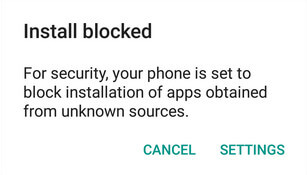
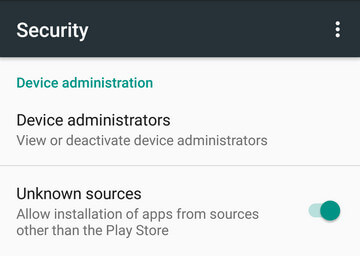
Step1: Install KingoRoot.apk on your device.
If you didn't check "Unknown Sources" in Settings > Security, then during installation, you will get a prompt "Install blocked", stating that "For security, your phone is set to block installation of apps obtained from unknown sources".
Root any Android device with KingoRoot, the best one-click Android apk root tool.

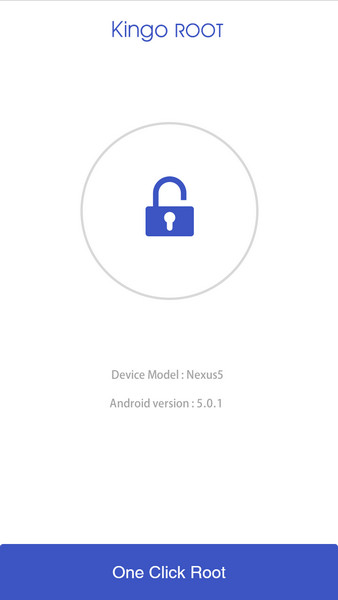
Step 2: Launch "Kingo ROOT" app and start rooting.

Kingo Root is very user-friendly and easy to use. Click "One Click Root" to start the rooting process.
Kingo Root Apk Main Interface

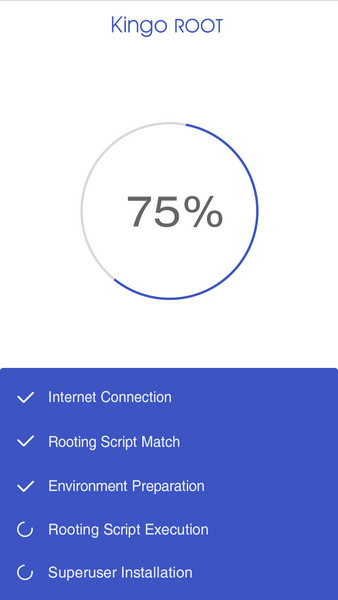
Step 3: Waiting for a few seconds till the result screen appear.

Kingo Root Apk Rooting

Step 4: Boom!

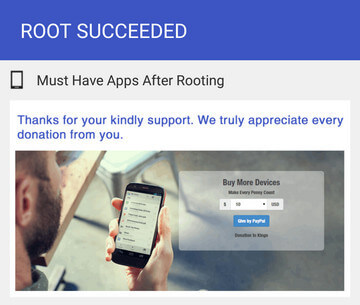
Kingo Root Apk Root Succeed
Your Phone has now been rooted


N.B:It is highly recommended that you try several times when rooting with KingoRoot apk version. We have several rooting methods integrated in apk root, however, it will only run one at a time.

How To Turn Your Smartphone into CCTV in 4 easy steps

Image result for smartphone cctv
Do you have an android phone which you don't want to use again? Then turn it into a security camera